1 / 4
Fitness Frame
A browser-based tool that auto-detects a user's pose and crops fitness photos to a consistent 9:16 ratio using TensorFlow.js
boltclaude-codecursortensorflowvibe-coding
Loading content...
A browser-based tool that auto-detects a user's pose and crops fitness photos to a consistent 9:16 ratio using TensorFlow.js
A browser-based tool that automatically detects your pose and crops fitness photos to a consistent 9:16 ratio using TensorFlow.js. I built it because my fitness tracking app (Shapeshiftr) needs weekly front and side view photos, and I was tired of manually cropping every shot on my PC to get consistent framing. Once it worked as a standalone experiment, I integrated it directly into Shapeshiftr.
Describing the friction got me further than describing the solution — I had no idea you could run pose detection in the browser. I described the friction (manually cropping every photo for consistent framing) and Claude proposed TensorFlow.js PoseNet using skeletal keypoints (hip position, shoulder distance, wrist alignment) to detect front vs. side poses, then set up view-specific cropping rules.
Visual feedback still needs a human in the loop — It took about 10 iterations of showing the AI good and bad crops before the logic was reliable. The hardest bug was pose detection applying front-view cropping to side-view photos. I had to expose the pose detection data in the dev panel so the AI could see what was going wrong. It kept thinking its crops were correct when they clearly weren't.
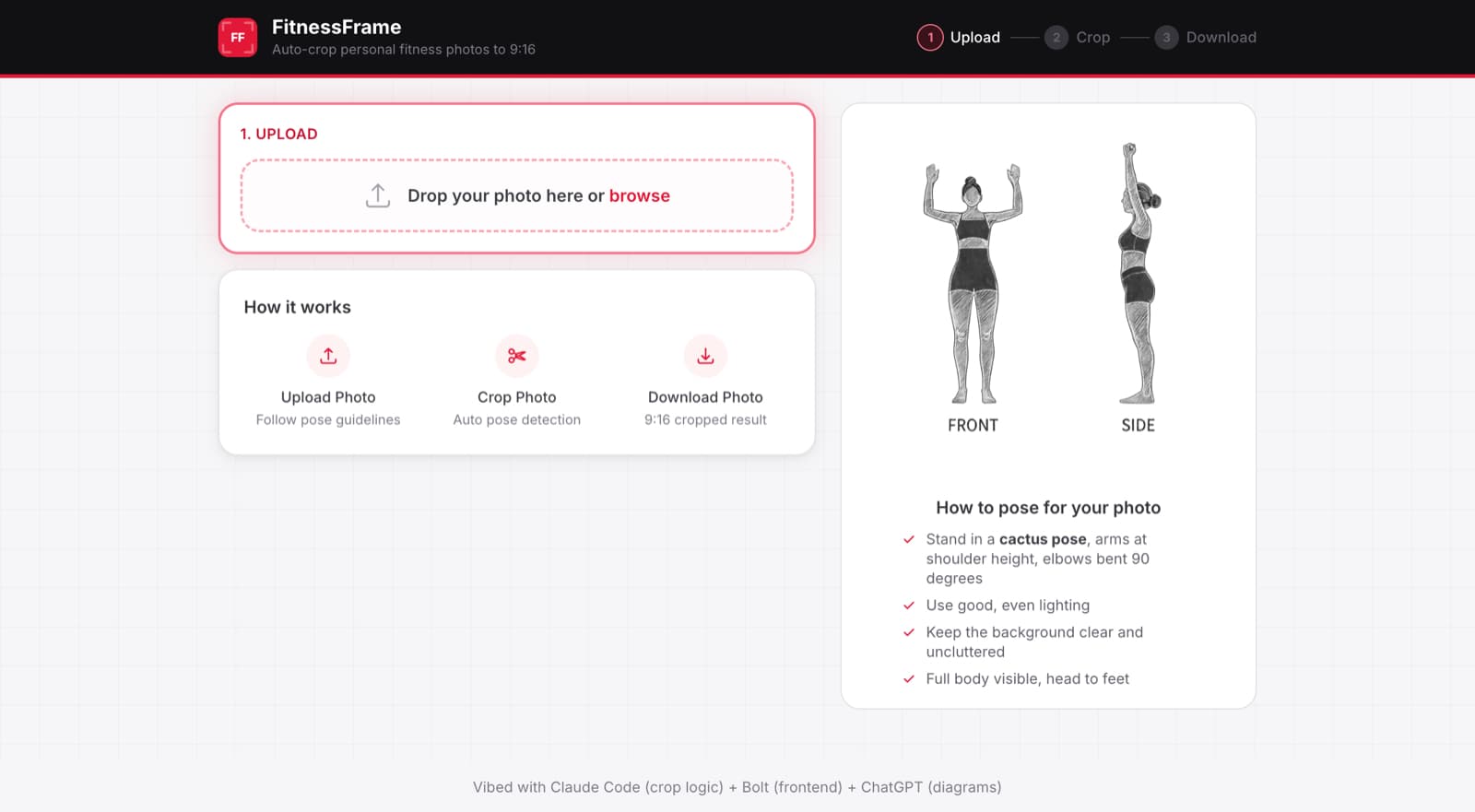
No single AI tool does everything well; routing tasks to the right one matters — Claude Code and Cursor handled the cropping logic and pose detection. Bolt with Opus 4.6 turned the bare-bones UI (see the final gallery image above for the pre-Bolt version) into a clear three-step flow with minimal prompting. For the pose guide diagrams, I tried Nano Banana first but couldn't get what I wanted. ChatGPT 5.2 did it better, using my reference photos to generate chalk-style sketches with labels.
Building standalone first made the real integration painless — I originally built with a full client-server setup because that's what Claude started with. When it came time to integrate into Shapeshiftr, I realized I didn't need another server dependency. Asked Claude Code to rewrite it as client-only and it handled the full conversion on its own.
Real use cases and needs should still drive what gets built — Fitness Frame exists because uploading consistent photos to Shapeshiftr was friction in my own weekly habit. I went from "phone photo → upload to PC → manual crop in editing software → upload to Shapeshiftr" to snapping a photo and uploading directly. Now entering my weekly photos is as quick as entering my weight.
Claude Code and Cursor handled the cropping logic and pose detection iteration. Bolt (with Opus 4.6) redesigned the frontend UI in a single session. ChatGPT 5.2 generated the pose guide diagrams. React 19, TypeScript, Vite, and Tailwind CSS for the app. TensorFlow.js with PoseNet for in-browser pose detection.